背景
学习next.js,里面涉及到了主题切换,本来想手写,看到有开源库https://github.com/pacocoursey/next-themes直接用了。按readme描述,一直没生效,查了下官网和issue才知道怎么用,这里总结下。demo是用nextjs初始代码基础修改的。
1、项目生成
Getting Started: Installation | Next.js
1
| pnpm create next-app@latest my-app --yes
|
2、安装
1
2
3
| $ npm install next-themes
# or
$ yarn add next-themes
|
3、配置global.css
1
2
3
4
5
6
7
8
9
10
11
12
13
14
15
| @import "tailwindcss";
@custom-variant dark (&:where(.dark, .dark *));
:root {
--background: white;
--foreground: black;
}
.dark {
--background: black;
--foreground: white;
}
|
4、layout配置
1
2
3
4
5
6
7
8
9
10
11
12
13
14
15
16
17
18
19
| import "./globals.css";
import { ThemeProvider } from 'next-themes'
export default function RootLayout({
children,
}: Readonly<{
children: React.ReactNode;
}>) {
return (
<html lang="en" suppressHydrationWarning>
<body
className='bg-white text-gray-900 dark:bg-gray-900 dark:text-gray-100 transition-colors'
>
<ThemeProvider attribute="class"> {children}</ThemeProvider>
</body>
</html>
);
}
|
5、配置切换按钮
1
2
3
4
5
6
7
8
9
10
11
12
13
14
15
16
17
18
19
20
21
22
23
24
25
| 'use client';
import { useTheme } from 'next-themes'
export default function ThemeToggle() {
const { theme, setTheme } = useTheme();
return (
<div>
<button onClick={() => setTheme('dark')} className='px-4 py-2 rounded-lg border
bg-gray-100 hover:bg-gray-200 dark:bg-gray-800 dark:hover:bg-black-700 border-gray-300
dark:bg-black-700 dark:text-red-700
'>
Dark
</button>
<button onClick={() => setTheme('light')} className='px-4 py-2 rounded-lg border
bg-gray-100 hover:bg-gray-200 dark:bg-gray-800 dark:hover:bg-black-700 border-gray-300
dark:bg-black-700 text-black-700
'>
Light
</button>
当前主题: {theme} (点击切换)
</div>
);
}
|
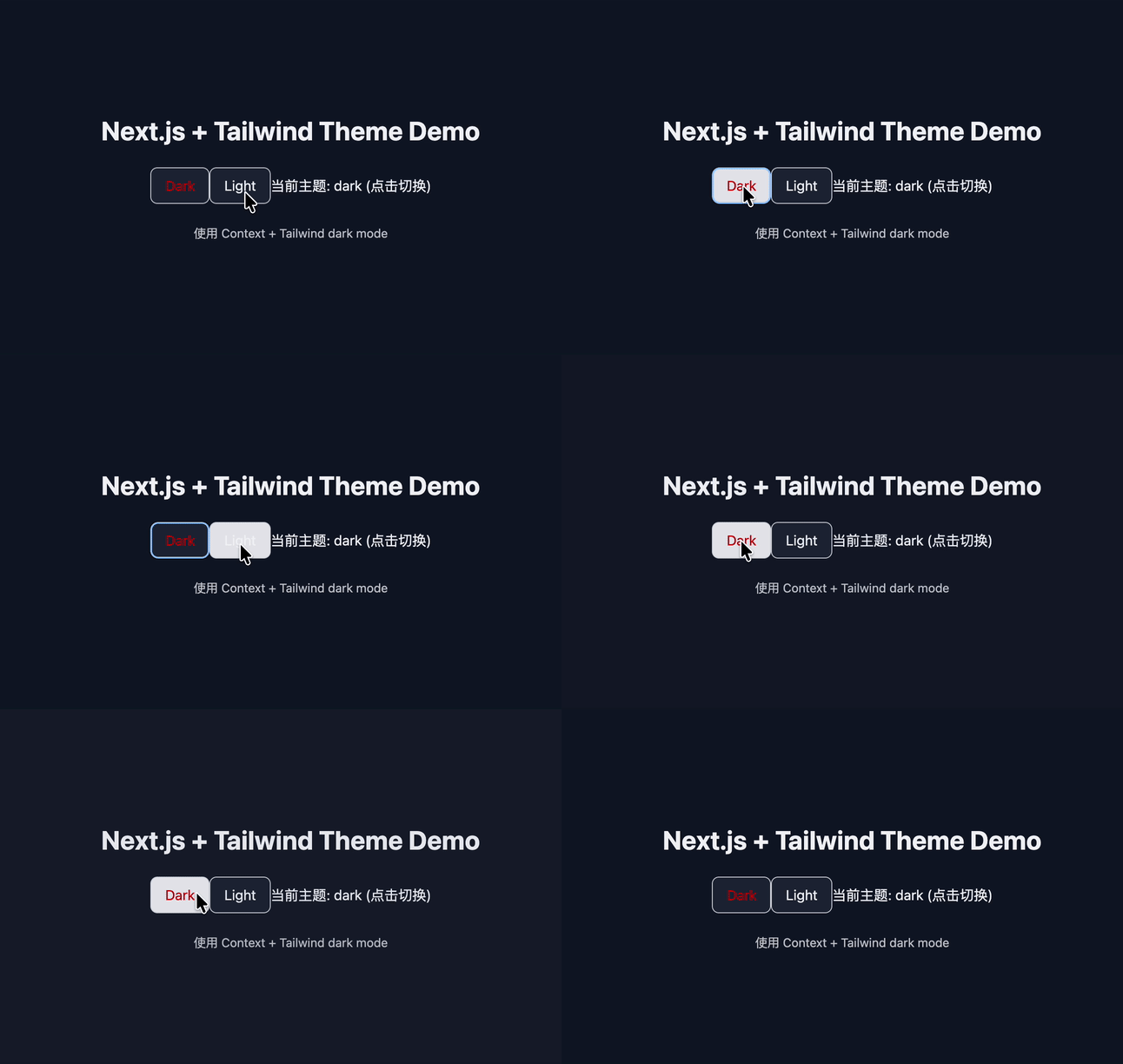
6、效果如下